Green Card Photo Requirements (USCIS)
This page covers photos for getting a Green Card. Applying for naturalization (N-400), a re-entry permit or travel document (I-131) or a stand-alone work permit (I-765)? See USCIS photo.
USCIS requires two identical color photos, each 2×2 inches (51×51 mm), for Adjustment of Status (I-485) and an Employment Authorization request filed with it (I-765); for Petitions for Alien Relative (I-130) photos are needed only for a spousal petition. Form I-90 (Green Card renewal) does not require photos — USCIS takes your photo at the biometrics appointment. The specifications mirror the U.S. State Department passport photo standard.
Size and Print Specifications
- Print size: 2×2 inches (51×51 mm) — exact, no margin variation
- Quantity: 2 identical prints per application
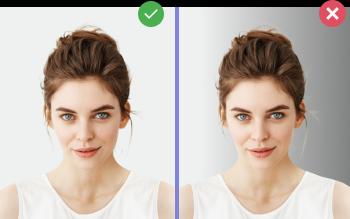
- Background: plain white or off-white, no patterns or shadows
- Head height (chin to crown): 1 to 1⅜ inches (25–35 mm)
- Eye height from bottom: 1⅛ to 1⅜ inches
- Color, sharp focus, photo-quality paper
- Recent photo; for I-130 and per the USCIS Policy Manual (adjustment of status) — taken within 30 days of filing
How to Label Your Green Card Photos
USCIS requires you to lightly write your A-Number (Alien Registration Number) and full name on the back of each photo using pencil or felt-tip pen — never ballpoint, which can imprint through and damage the image. If you don't have an A-Number yet, write your full name and date of birth.
Photos Required by USCIS Form
- Form I-485 (Adjustment of Status): 2 photos
- Form I-130 (Petition for Alien Relative): photos only for a spousal petition — petitioner and spouse
- Form I-90 (Renew/Replace Green Card): no photos — taken at the biometrics appointment
- Form I-131 (Re-entry Permit / Advance Parole): 2 photos
- Form I-765 (Employment Authorization): 2 photos
- Form N-400 (Naturalization): photos only if you live outside the United States
How to Make a Green Card Photo at Home
- Stand against a plain white wall in soft, even daylight.
- Have someone take the photo from 4–5 feet away, or use a self-timer at eye level. Neutral expression, both eyes open.
- Upload to Photo-Visa.Online and select Green Card Photo.
- Receive a print-ready file with 2 identical 2×2 in photos on a 4×6 in sheet — print at any 1-hour photo lab (CVS, Walgreens, Costco) or at home on photo paper.
Common USCIS Photo Rejections
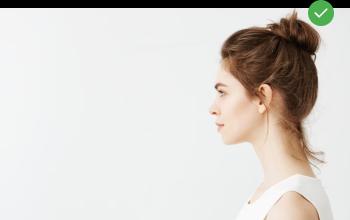
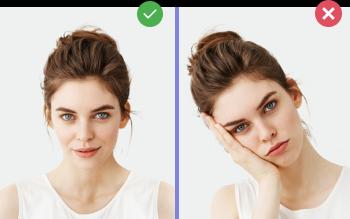
USCIS reviewers reject Green Card photos for: incorrect size (must be exactly 2×2 in), shadows on background, glasses, head tilted, or wrong proportion of head in frame. Photo-Visa.Online auto-validates each of these.