Convenience
Convenient to use wherever you are
Upload your photo and get a ready-to-use visa or passport photo in 2 minutes. Our AI automatically crops the image, adjusts the background and size to match your selected country's requirements. You see the result for free, and if the authority rejects the photo, we refund you.
Processed photos
Money back if the authority rejects your photo Learn more
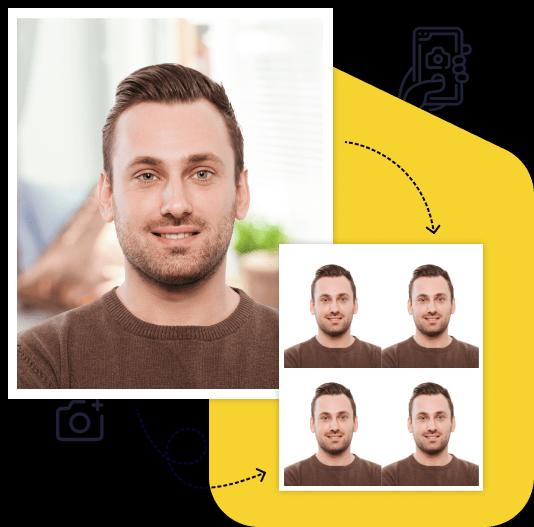
Creating a high-quality biometric photo for your documents will take no more than 2 minutes of your time.

All you need to do is take and upload the photo. We'll take care of the rest.

Artificial intelligence analyzes your photo, crops it to the required size, and removes the background.

We offer a variety of payment methods to ensure that everyone finds a suitable option.

After payment, we will send the file with the finished photos to your email. To use them, simply download and print them out.
Save time and money by creating a biometric photo without leaving your home.

Convenient to use wherever you are

You can work with the photo from any device

Our photos are suitable for any type of documents, including international ones. This ensures convenience and time savings for our clients

You can upload and process multiple photos using our service. Payment is only made for the photo you choose for printing. This ensures convenience and flexibility for our clients

To get perfect shots for any type of document, use the following guidelines.

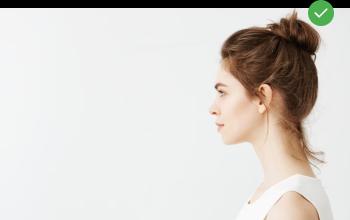
Stand about 50 cm away from the wall. This will help avoid harsh shadows behind your back and keep the details in the photo clear.

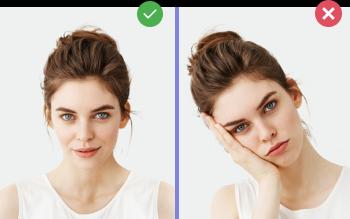
Put your face in front of the camera lens. Hold the camera at eye level. Maintain a neutral facial expression. This will help create optimal conditions for obtaining a high-quality image.

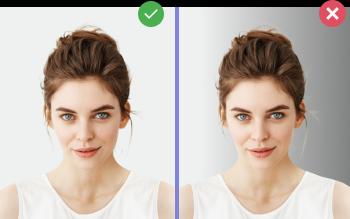
Choose a light or solid color background for the best image quality. Stand facing a light source, such as an open window. The background will be automatically cut out.
Passport photo online
Create document photos online — for passports, visas, driver's licenses and more. Upload your photo, choose the document type, and our AI will adjust it to meet official requirements. Fast and affordable, with a free preview.
K-ETA (Korea Electronic Travel Authorization) requires a digital color photo in JPG format.
Take a photo at home against a light wall — ask someone to shoot from 4–5 feet (1.2–1.5 m) away, or use a self-timer. Upload to Photo-Visa.Online and select "South Korea K-ETA". AI crops the photo, replaces the background, prepares a JPG and checks compliance. Result in 2 minutes from $13.
Create Your Photo Now
$13 with a print layout. Result in 2 minutes. Money back if rejected.
Upload PhotoK-ETA requires a color JPG photo with a file size up to 20 MB; the face should take about 75% of the frame. No pixel size is set officially.
Yes, take a photo against a white wall from 4–5 feet away (not a close-up selfie) and upload to Photo-Visa.Online. AI crops, replaces the background and prepares the JPG.
Common reasons: shadows, sunglasses, hats or scarves, or the face too small in the frame.