USCIS Photo Requirements
Getting a Green Card (I-485, spousal I-130)? Use the dedicated Green Card photo page. This page covers the other USCIS forms: naturalization and citizenship certificates, re-entry permits and travel documents, work permits.
U.S. Citizenship and Immigration Services (USCIS) requires two identical color photos, each 2×2 inches (51×51 mm), for Adjustment of Status (I-485), Employment Authorization (I-765), spousal petitions (I-130), Re-entry Permit (I-131) and naturalization (N-400) if you live outside the United States. Form I-90 does not require photos — they are taken at biometrics. The specifications follow the U.S. State Department passport photo standard.
Print Specifications
- Print size: exactly 2×2 inches (51×51 mm)
- Quantity: 2 identical prints
- Background: plain white or off-white, no patterns
- Head height (chin to crown): 1 to 1⅜ inches (25–35 mm)
- Color, on photo-quality paper (not regular printer paper)
- Recent; for I-130 and per the Policy Manual — taken within 30 days of filing
USCIS Forms Requiring 2×2 Inch Photos
| N-400 | Application for Naturalization | 2 photos — only if you live outside the U.S. |
| N-565 | Application for Replacement Naturalization Document | 2 photos |
| N-600 | Application for Certificate of Citizenship | 2 photos |
| I-485 | Adjustment of Status to Permanent Resident | 2 photos |
| I-130 | Petition for Alien Relative | 2 photos — spousal petition only |
| I-90 | Application to Replace Permanent Resident Card | no photos — taken at biometrics |
| I-131 | Application for Travel Document / Re-entry Permit | 2 photos |
| I-765 | Application for Employment Authorization (EAD) | 2 photos |
| I-589 | Application for Asylum | 2 photos for each family member |
| I-821D | DACA renewal | 2 photos |
How to Label USCIS Photos
Lightly write your name and A-Number (Alien Registration Number), if you have one, on the back of each photo using pencil or felt-tip pen.
Common USCIS Photo Rejections
- Wrong size — must be exactly 2×2 inches
- Photo not recent enough for the form (30 days for I-130)
- Glasses (banned since 2016)
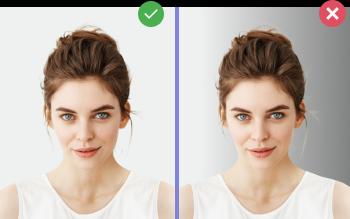
- Shadows on face or background
- Head too small (under 50% of frame) or too large
- Inkjet print on plain paper instead of photo paper
- Color cast (yellow, blue) from wrong white balance
How to Make a USCIS Photo at Home
- Find a plain white wall with even, soft daylight.
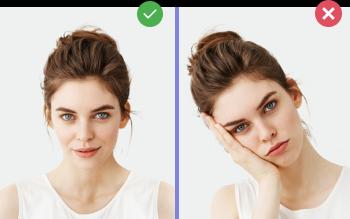
- Have someone take the photo at eye level from 4–5 feet away — face the camera, neutral expression, both eyes open, mouth closed.
- Upload to Photo-Visa.Online and select USCIS Photo.
- Receive a print-ready file with 2 identical 2×2 in photos on a 4×6 in sheet, ready to print at any 1-hour photo lab or on home photo paper.