Convenience
Convenient to use wherever you are
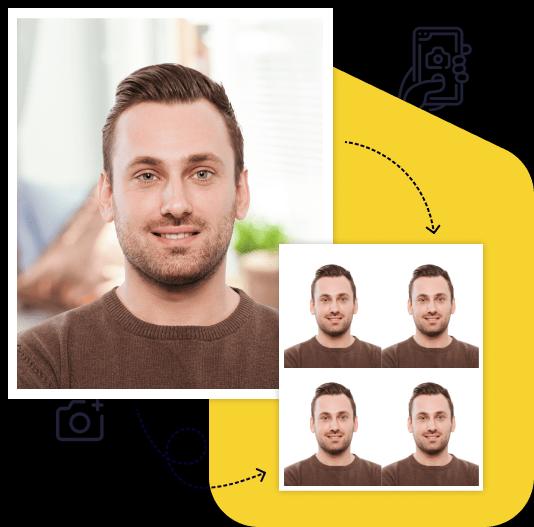
Upload your photo and get a ready-to-use visa or passport photo in 2 minutes. Our AI automatically crops the image, adjusts the background and size to match your selected country's requirements. Need an acceptance guarantee? Choose the Manual processing plan.
Processed photos
Acceptance guarantee — included in the Manual processing plan Learn more
Size
Resolution(dpi)
Suitable for online submission?
Specified image parameters
Printable?
Background color
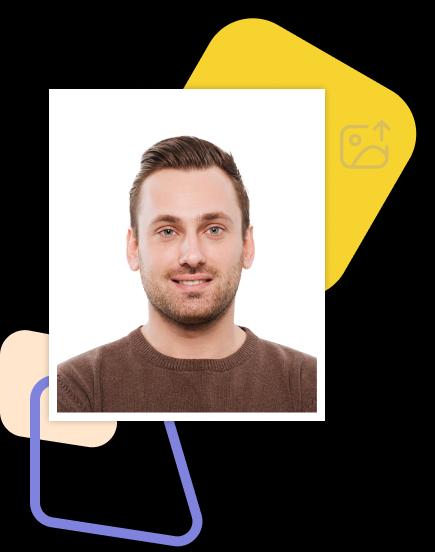
The «Angola visa online 381x496 pixels» (Angola) document requires a photo sized 381.00px × 496.00px with a minimum resolution of 1 dpi. The background must be white, free of objects and shadows.
Additional biometric requirements: head height (up to the top of the hair) — 75.00%, distance from top the of the photo to the top of the hair — 6.00%.
The photo is accepted in digital format only. Our service will prepare a file that fully meets all listed requirements.
Creating a high-quality biometric photo for your documents will take no more than 2 minutes of your time.

All you need to do is take and upload the photo. We'll take care of the rest.

Artificial intelligence analyzes your photo, crops it to the required size, and removes the background.

We offer a variety of payment methods to ensure that everyone finds a suitable option.

After payment, we will send the file with the finished photos to your email. To use them, simply download and print them out.
Save time and money by creating a biometric photo without leaving your home.

Convenient to use wherever you are

You can work with the photo from any device

Our photos are suitable for any type of documents, including international ones. This ensures convenience and time savings for our clients

You can upload and process multiple photos using our service. Payment is only made for the photo you choose for printing. This ensures convenience and flexibility for our clients

To get perfect shots for any type of document, use the following guidelines.

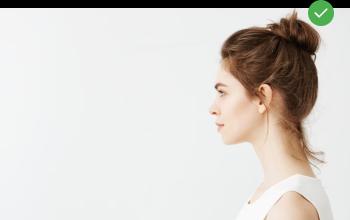
Stand about 50 cm away from the wall. This will help avoid harsh shadows behind your back and keep the details in the photo clear.

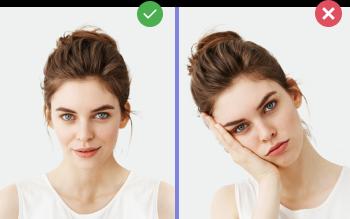
Put your face in front of the camera lens. Hold the camera at eye level. Maintain a neutral facial expression. This will help create optimal conditions for obtaining a high-quality image.

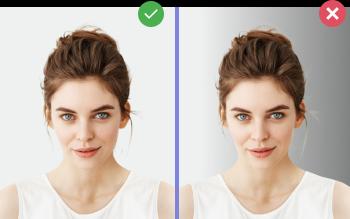
Choose a light or solid color background for the best image quality. Stand facing a light source, such as an open window. The background will be automatically cut out.
Create document photos online — for passports, visas, driver's licenses and more. Upload your photo, choose the document type, and our AI will adjust it to meet official requirements. Fast and affordable, with an acceptance guarantee on the Manual processing plan.