China Passport online 354x472 pixel photo

Upload your photo and get a ready-to-use visa or passport photo in 2 minutes. Our AI automatically crops the image, adjusts the background and size to match your selected country's requirements. You see the result for free, and if the authority rejects the photo, we refund you.

Size
354 × 472 px
Background
White
Accepted for
Online submission
Price
free preview, file + print sheet $13

Free preview · $13 for the digital file + 4×6 print sheet, paid only after you see it

  • 4.4· 458 ratings
  • 10,000+ photos made
  • Documents for 100+ countries
  • Money back if the authority rejects your photo
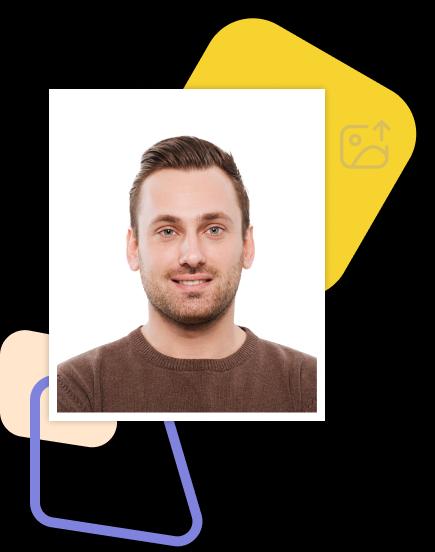
China Passport online 354x472 pixel: photo size and specs

Size
Height: 472.00pxWidth: 354.00px
Resolution(dpi)
1
Suitable for online submission?
Yes
Specified image parameters
Head height (up to the top of the hair): 356.00pxDistance from top the of the photo to the top of the hair: 25.00px
Printable?
No
Background color
Example of a finished document photo: man on a white background

China Passport online 354x472 pixel Photo Requirements

The «China Passport online 354x472 pixel» (China) document requires a photo sized 354.00px × 472.00px. The background must be white, free of objects and shadows.

Additional biometric requirements: head height (up to the top of the hair) — 356.00px, distance from top the of the photo to the top of the hair — 25.00px.

The photo is accepted in digital format only. Our service will prepare a file that fully meets all listed requirements.

How does it work?

Creating a high-quality biometric photo for your documents will take no more than 2 minutes of your time.

  1. Take a photo and upload it

    All you need to do is take and upload the photo. We'll take care of the rest.

  2. The service is preparing the photo

    Artificial intelligence analyzes your photo, crops it to the required size, and removes the background.

  3. Payment options are available for your convenience

    We offer a variety of payment methods to ensure that everyone finds a suitable option.

  4. Here are the finished photos

    After payment, we will send the file with the finished photos to your email. To use them, simply download and print them out.

Why choose us?

Save time and money by creating a biometric photo without leaving your home.

Convenience

Convenient to use wherever you are

Flexibility of use

You can work with the photo from any device

Versatility

Our photos are suitable for any type of documents, including international ones. This ensures convenience and time savings for our clients

Processing multiple photos

You can upload and process multiple photos using our service. Payment is only made for the photo you choose for printing. This ensures convenience and flexibility for our clients

Woman taking a smartphone selfie for a document photo

How to take a photo?

To get perfect shots for any type of document, use the following guidelines.

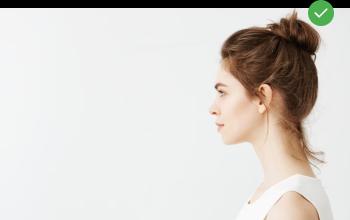
Woman standing in profile half a metre from a light wall

Distance

Stand about 50 cm away from the wall. This will help avoid harsh shadows behind your back and keep the details in the photo clear.

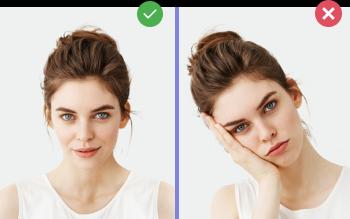
Right and wrong: head held straight and head tilted

Face position

Put your face in front of the camera lens. Hold the camera at eye level. Maintain a neutral facial expression. This will help create optimal conditions for obtaining a high-quality image.

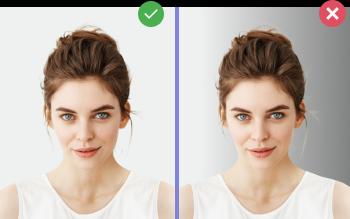
Right and wrong: even light background and background with a side shadow

Background and lighting

Choose a light or solid color background for the best image quality. Stand facing a light source, such as an open window. The background will be automatically cut out.

Passport photo online

Create document photos online — for passports, visas, driver's licenses and more. Upload your photo, choose the document type, and our AI will adjust it to meet official requirements. Fast and affordable, with a free preview.

Choose country